What Is xp_cmdshell and Should You Enable It?
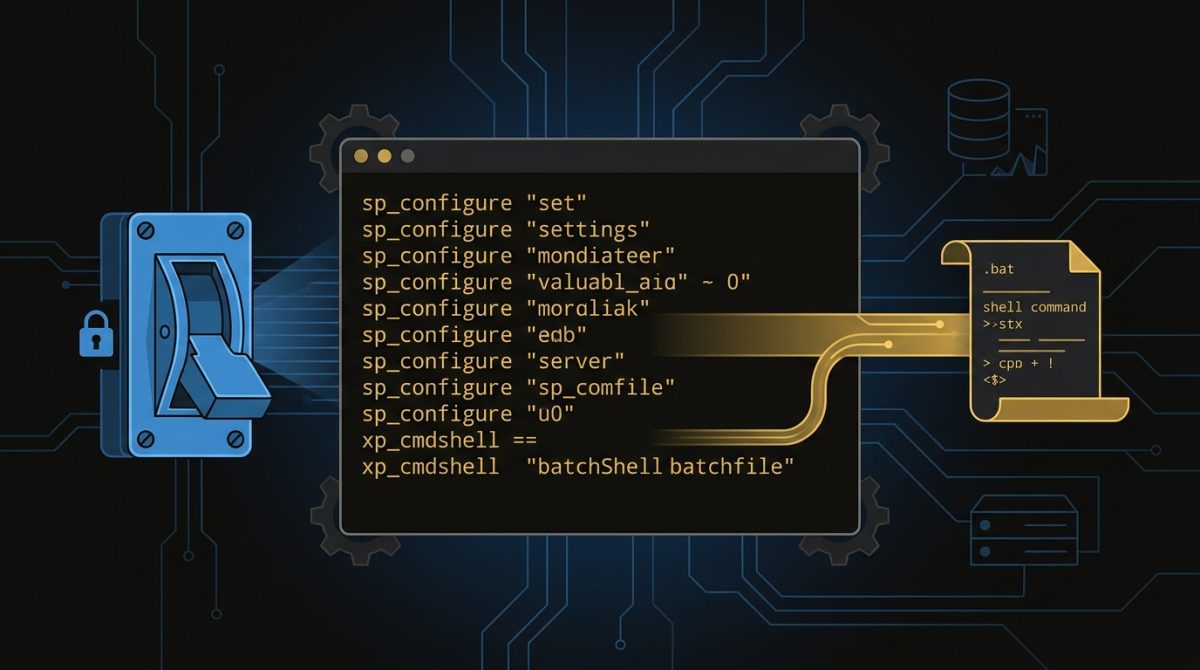
To enable xp_cmdshell in SQL Server, you use sp_configure to first expose advanced options, then turn the feature on, and apply both changes with RECONFIGURE. The whole process takes four T-SQL statements and about 30 seconds. But before you run a single line of code, you need to understand what you're actually enabling and why Microsoft ships it turned off by default.
xp_cmdshell is an extended stored procedure that allows SQL Server to execute operating system commands and batch files directly from T-SQL. It's powerful, it's occasionally necessary, and it's one of the most abused features in SQL Server security. Done right, with proper controls in place, it can be a legitimate tool. Done carelessly, it hands an attacker a direct path from a compromised database straight into your operating system.
Why Is xp_cmdshell Disabled by Default?
Microsoft disabled xp_cmdshell by default starting with SQL Server 2005, and for good reason. When xp_cmdshell is enabled, any code executing within the SQL Server process context can potentially run operating system commands. If your SQL Server account runs under a highly privileged Windows account (and many do, despite best practice guidance to the contrary), that means OS-level access with significant permissions.
The attack surface is real. SQL injection vulnerabilities, misconfigured application accounts, or a compromised login can all become vectors for OS-level command execution if xp_cmdshell is sitting there enabled and unguarded. The Australian Cyber Security Centre and Microsoft both recommend treating xp_cmdshell as a high-risk configuration that should only be enabled when there's a specific, justified operational need.
That said, there are legitimate use cases. Scheduled maintenance scripts, file system operations, calling external batch files as part of a workflow, or legacy integrations that haven't been refactored yet. The key is enabling it deliberately, controlling who can use it, and disabling it again when it's no longer needed.
How to Enable xp_cmdshell Using sp_configure
xp_cmdshell is an advanced configuration option, which means it's hidden behind another setting called 'show advanced options'. You need to expose that layer first before SQL Server will let you touch xp_cmdshell at all.
Here's the complete process to enable xp_cmdshell:
-- Step 1: Allow advanced options to be changed
EXEC sp_configure 'show advanced options', 1;
GO

-- Step 2: Apply the change
RECONFIGURE;
GO

-- Step 3: Enable xp_cmdshell
EXEC sp_configure 'xp_cmdshell', 1;
GO

-- Step 4: Apply the change
RECONFIGURE;
GO
Run these four blocks in sequence. No restart is required. The change takes effect immediately after the second RECONFIGURE.
A quick note on permissions: only members of the sysadmin fixed server role can execute sp_configure with the advanced options flag. If you're getting permission errors, that's where to look first.
How to Run a Batch File Using xp_cmdshell
Once enabled, running a batch file is straightforward. Pass the full path to your batch file as a string argument:
EXEC master..xp_cmdshell 'C:\BatchScripts\your_script.bat';A few practical points worth knowing before you run this in production:
Path formatting matters. Use the full absolute path. Relative paths will resolve against the SQL Server service account's working directory, which is rarely what you expect.
The command runs under the SQL Server service account. Whatever Windows account SQL Server runs under is the account that will execute your batch file. Make sure that account has the necessary permissions to access the file path and perform whatever the script does.
Output is returned as a result set. xp_cmdshell captures stdout from the command and returns it row by row. If your batch file produces no output, you'll get a single NULL row. This output can be useful for basic error checking:
DECLARE @output TABLE (output_line NVARCHAR(4000));

INSERT INTO @output
EXEC master..xp_cmdshell 'C:\BatchScripts\your_script.bat';

SELECT * FROM @output WHERE output_line IS NOT NULL;
Capturing the output into a table variable lets you log results, check for error strings, or pass information back into your T-SQL workflow.
Errors in the batch file don't automatically raise SQL errors. If your batch file fails silently, xp_cmdshell won't know. Build error checking into the batch file itself, or check the output for known failure strings.
How to Disable xp_cmdshell When You're Done
If you've enabled xp_cmdshell for a specific task, disable it again once that task is complete. This is good operational hygiene and it's the approach Microsoft recommends in their surface area configuration guidance.
-- Disable xp_cmdshell
EXEC sp_configure 'xp_cmdshell', 0;
GO

RECONFIGURE;
GO

-- Optionally hide advanced options again
EXEC sp_configure 'show advanced options', 0;
GO

RECONFIGURE;
GO
Some environments leave 'show advanced options' enabled permanently for administrative convenience. That's a reasonable call. But xp_cmdshell itself should be disabled when there's no active need for it.
Security Considerations You Shouldn't Skip
Enabling xp_cmdshell without thinking through the security implications is how environments end up in trouble. A few things to address before you enable it in any production environment:
Run SQL Server under a least-privilege service account. If the SQL Server service account is a local administrator or a domain admin, xp_cmdshell becomes significantly more dangerous. The service account should have only the permissions it needs to run SQL Server, nothing more.
Audit who has sysadmin access. Only sysadmin members can enable xp_cmdshell, but once it's enabled, proxy accounts can be configured to allow non-sysadmin users to execute it under a specific credential. Know exactly who has access and under what context.
Check your SQL Server audit logs. If xp_cmdshell is being executed and you don't know why, that's a problem. SQL Server Audit or Extended Events can be configured to capture xp_cmdshell executions.
Consider alternatives. SQL Server Agent job steps can execute CmdExec commands without enabling xp_cmdshell globally. PowerShell steps are another option. For file operations, SSIS has file system tasks. xp_cmdshell is often the path of least resistance, but it's not always the only path.
Key Takeaways
- xp_cmdshell is disabled by default in SQL Server 2005 and later. Enabling it requires two sp_configure calls: one to expose advanced options, and one to enable the feature itself.
- The procedure runs under the SQL Server service account. Permissions on the OS side are determined by that account, not the SQL login calling xp_cmdshell.
- Always disable xp_cmdshell after use if it was enabled for a specific task. Leaving it enabled indefinitely increases your attack surface.
- Capture and check the output from xp_cmdshell when running batch files. Silent failures are common and won't raise SQL errors automatically.
- Before enabling xp_cmdshell in production, verify your SQL Server service account is running under a least-privilege account. This is the single most important security control.
If you're not sure whether xp_cmdshell is currently enabled across your SQL Server estate, or whether your service accounts are configured with appropriate permissions, a DBA Services SQL Server Health Check will surface these issues quickly. We work with organisations across Australia to identify and remediate exactly these kinds of configuration risks before they become incidents. Get in touch to find out what's running in your environment.
Get a SQL Server Health Check for $999
Find out what's really going on inside your SQL Server environment. We find critical misconfigurations in 97% of reviews, with a full 48-hour performance baseline and a prioritised action plan.
$999 ex-GST per instance
normally $2,499